



Android
Scan to download

Open your camera or QR scanner, then scan this code to download the PH90 Android app.
PH90 Mobile
Scan the matching QR code below, install the app, and log in — slots , live tables , sabong , sports and fishing are all one tap away. First-time installs also qualify for the ₱888 app bonus.
Scan to download
Open your camera or QR scanner, then scan this code to download the PH90 Android app.
Scan to download
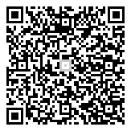
Open your iPhone camera in Safari, scan this code, then follow the prompt to download the PH90 Apple app.
The app is not just a shortcut — it changes how the platform actually feels to use.
Slots, live tables, sabong, sports and fishing sit behind a single home screen icon — no retyping URLs or hunting for a working mirror link.
Drop back into a live dealer table or a fishing round faster after a signal hiccup, instead of reloading a full browser page from scratch.
Download the app, verify your mobile number, and bind a payment method to unlock a reward that stacks on top of your regular welcome offer.
The app is built to run lighter than a mobile browser tab, so game animations and live streams stay smooth even on a weaker connection.
The PH90 Android app is distributed as a direct APK, not through the Play Store, so your phone needs one extra permission before it will install.
Open your camera or a QR scanner app and point it at the Android QR code above to start the download.
When your phone blocks the install, go to Settings → Apps → Special app access → Install unknown apps, then enable it for your browser or file manager.
Open the downloaded file and tap Install. Keep the screen on until the installation finishes.
Launch the PH90 app, log in or register, verify your mobile number, and head to the Reward Center to claim your app bonus.
The PH90 iOS app installs through a configuration profile rather than the App Store, so iPhone asks you to manually trust it once.
Scan the Apple QR code above using Safari on your iPhone — other browsers may not complete the profile download correctly.
If the install screen does not open automatically, go to Settings and tap the "Profile Downloaded" banner near the top.
Tap Install, enter your passcode, then go to Settings → General → VPN & Device Management, select the PH90 profile, and tap Trust.
Find the PH90 icon on your Home Screen, log in or register, verify your mobile number, and claim your app bonus in the Reward Center.
This is a real, live PH90 promotion — here is exactly how to qualify for it.
This offer runs long-term — no need to rush, but you do need to complete every step above to unlock the claim button in the Reward Center.
See Full Promotion TermsThis means installs from unknown sources are still disabled. Go to Settings → Apps → Special app access → Install unknown apps, enable it for the app you used to download the file, then try the install again.
You still need to trust the profile. Go to Settings → General → VPN & Device Management, select the PH90 profile, and tap Trust before the icon will launch.
Make sure the whole code is inside the frame with good lighting, or open this page directly on your phone and use a separate QR scanner app on the screenshot.
No — you need to complete every step (register, install, verify mobile, bind a payment method, log in through the app) before the claim button appears in your Reward Center.
Scan a QR code above, install PH90, and claim your ₱888 app bonus before your first spin.
Play at PH90